
The job finishes.
The admin
shouldn’t start.
Calls while you’re on the tools. Quotes after dinner. Invoices on Sunday. We connect the work around the job, so running the business takes less of your evening.
Talk about your working dayFor trade businesses with an office, a crew, and too much in between.
- Electrical
- Call-outs, installations and compliance records.
- Plumbing
- Urgent jobs, site photos and materials used.
- HVAC
- Service bookings, equipment and maintenance visits.
- Building & renovations
- Quotes, variations and subcontractor handovers.
- Landscaping
- Crew schedules, deliveries and progress claims.
Sound like
your day?
For electricians, plumbers, builders and service crews.
You miss the call while you’re doing the job.
The phone rings when your hands are full. By the time you call back, the customer may have moved on.
The quote goes out. Then it goes quiet.
Following up relies on remembering who you sent it to. Good enquiries get buried under the next urgent job.
The paperwork follows you home.
Photos, job notes and hours are in different places. An invoice means starting from scratch again.
Be on the tools.
Still catch the enquiry.
A customer calls while your hands are full. By the time you listen to the voicemail, you still need to find out what they want, where the job is and when to call.
A voice assistant or website enquiry flow can capture those details and put them into a shared record. Give the callback an owner and a next step, so it stays visible when the day gets busy.
A useful brief. A clear follow-up. You take it from there.
They said yes.
Stop chasing.
Start the job.
The customer says yes, but the follow-up reminder keeps going. The address, scope and access notes still need to be typed into a diary and texted to the crew.
Connect the quote response to the next step. Stop the reminder, carry the agreed work into the schedule and give the crew the same job details. You confirm who is going and when.
One record that moves with the work.
The work is done.
The details are, too.
Invoicing should not start with a search through messages, a camera roll and someone’s memory of Tuesday.
Capture photos, hours and materials against the job as the work happens. Bring those records into invoice preparation in your supported accounting tools, flag what is missing and leave the final check with you.
Less rebuilding the job after you have already finished it.
One job. From first call to final invoice.
We can connect enquiry capture, quotes, scheduling and job records around the same customer. An accepted quote carries its details into the job; completed work gives the office what it needs to prepare the invoice. One team to build the connections and a view that makes sense on your phone.
- Catch the enquiry
A callback with the right details
- Follow up the quote
An owner and a next step
- Run the job
Schedule, notes and photos
- Prepare the invoice
Use the work already recorded
Software, websites and automation.
One team to bring it together.
The phone, the job,
and the paperwork.
One team to connect the office and the crew, around the tools you already use.
Start with a useful first piece. Clear scope, written quote. You own the software and source code we build.
Catch the calls you can’t take.
Capture the customer, address and reason for calling, ready for someone to follow up.
Keep the details with the job.
Quotes, schedules, photos and notes in one record, with a useful view on your phone.
Give the office a head start.
Use completed job records to prepare an invoice draft for review in your supported accounting tools.
SGD Civil
Built for the office.
Built for the crew.
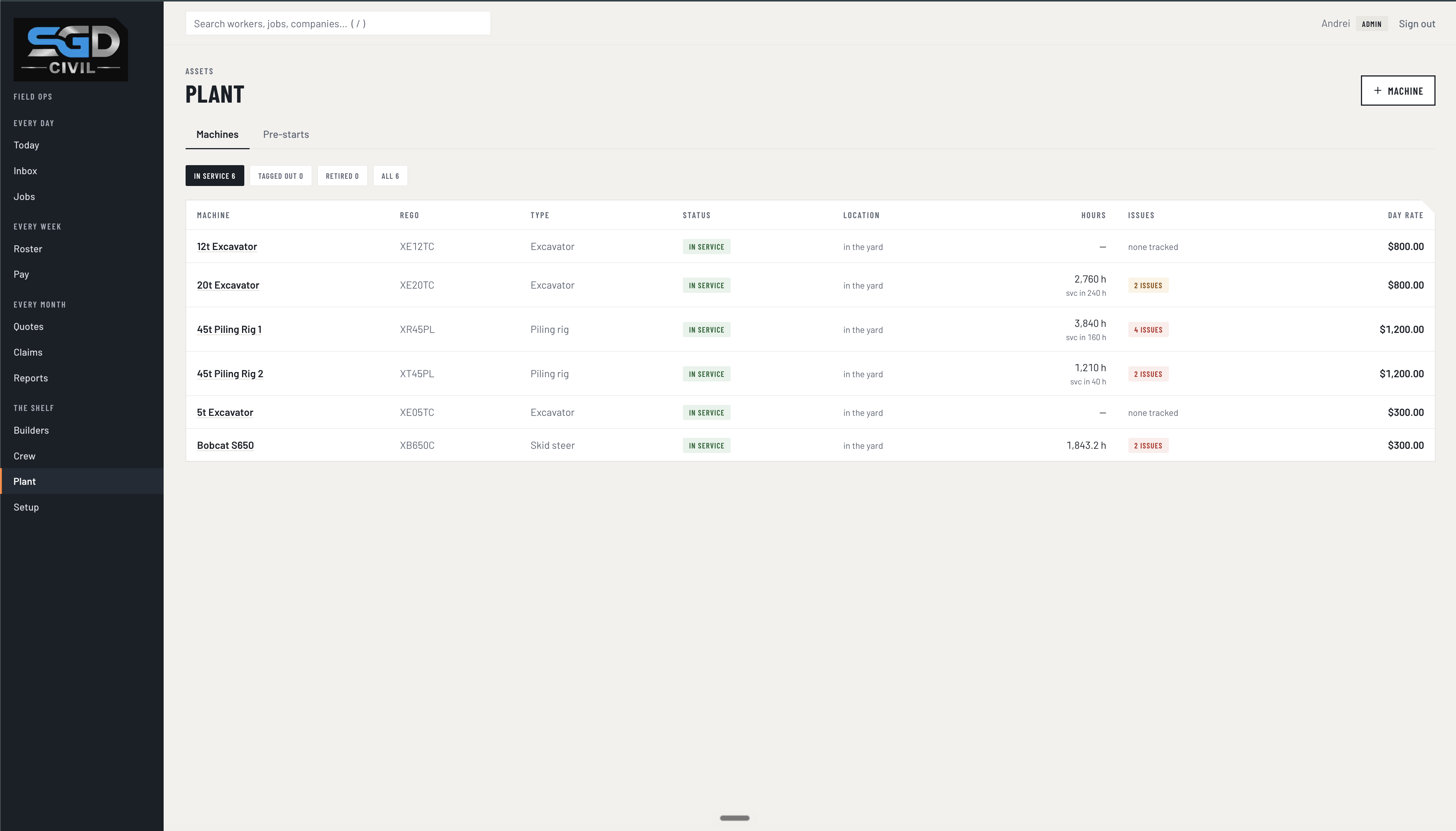
A related build in civil construction: SGD Civil’s own operations platform brings plant, job records and field paperwork together. The office sees the wider picture. The crew have an app shaped around work on site.
Explore the SGD Civil buildStart with one
real working day.
We do the software, the connections and the handover. You bring the part of the day that should be easier.
- 01
Follow a real job.
From the first enquiry to getting the invoice out. Show us the tools, the workarounds and where someone has to chase.
- 02
Agree the first useful fix.
Check the connections, decide who approves what and put the build into a clear scope and written quote.
- 03
Try it with the people doing the work.
Run the handover with your office and crew. Check the awkward cases as well as the straightforward ones.
- 04
Make it part of the day.
Train the team, hand over the build and agree ongoing support. Connect the next piece when it makes sense.